Proctored Exam Without a Webcam: The Complete Guide (2026)
Can you run a secure exam without a camera? Yes — and sometimes you should. MonitorExam uses browser lockdown, behavioural analytics and session logs to proctor exams without a webcam. Ideal for low-bandwidth environments and privacy-sensitive institutions.

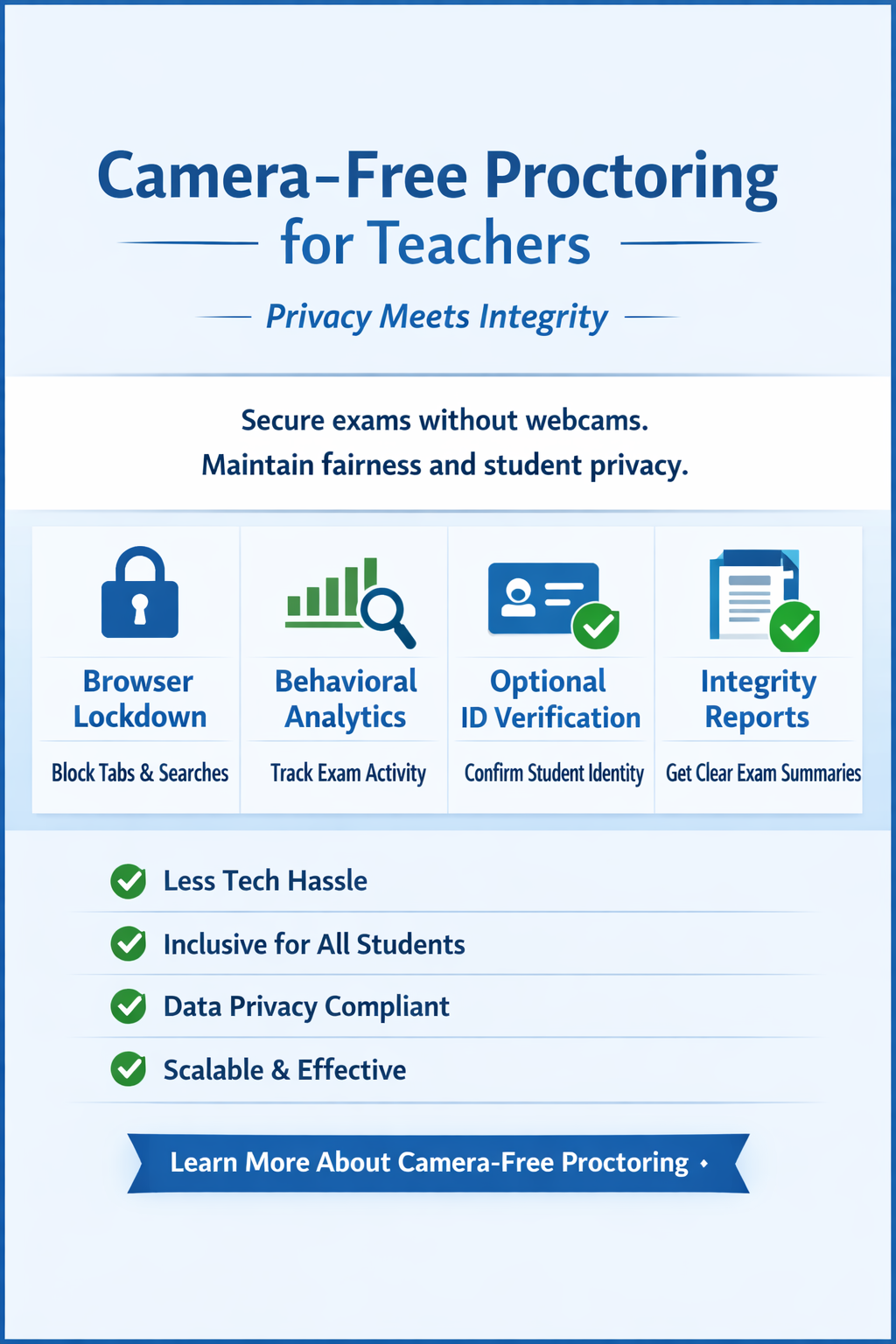
Can you run a secure exam without a camera? Yes, and sometimes you should. MonitorExam uses browser lockdown, behavioural analytics and session logs to proctor exams without a webcam. Ideal for low-bandwidth environments and privacy-sensitive institutions.
Updated October 2026 · 10 min read · MonitorExam
Can You Proctor an Exam Without a Camera?
A proctored exam without a webcam is possible when the exam uses browser-based monitoring instead of video. Online proctoring without a camera is secure, and increasingly the preferred choice for institutions in low-bandwidth environments, privacy-sensitive contexts, and large-scale assessments. MonitorExam proctors exams without a webcam using browser lockdown, behavioural analytics, and session logs, delivering a fully proctored exam without requiring any video feed.
⚡ Quick Answer Camera-free online proctoring uses browser lockdown, keystroke and mouse analytics, tab-switch detection, and session logs to monitor exam integrity without a webcam. MonitorExam's camera-optional mode works on any browser, any device, any bandwidth, with no installation required. Free tier: 15 exams/month.
If Proctoring Is Enabled, Will You Always Need a Webcam?
As a general statement, no. "Proctoring enabled" only tells you that an exam has monitoring switched on. It does not say which signals are used. Whether a webcam is required is decided per exam by the instructor or institution, and by the proctoring tool they chose.
- Some tools are built around a webcam. Proctorio, for example, is typically used with one, though what it records (webcam, screen, audio) is chosen by the instructor for each quiz.
- Other tools make the camera optional. MonitorExam's camera-optional mode monitors the session through browser lockdown, behavioural analytics and session logs, so no webcam is needed.
- Your specific exam is what counts. If a course asks you "if proctoring is enabled, you will always need a webcam: true or false", read that course's own exam instructions, because the rule there depends on how the exam is configured.
Quick check for students: look at the exam instructions, the pre-exam setup screen (does it ask for camera, microphone or screen-share permission?), or ask your instructor directly.
Why Camera-Optional Proctoring Matters in 2026
The assumption that online proctoring requires a camera is outdated. For a significant portion of the world's students, particularly in India, the Philippines, Indonesia, and Sub-Saharan Africa, mandatory webcam requirements create real barriers:
| Barrier | Who it affects |
|---|---|
| No functioning webcam on device | Students using shared or older laptops |
| Low bandwidth, video streaming impossible | Students in Tier 2/3 cities, rural areas |
| Shared living space, no private environment | Students in hostels, shared accommodation |
| Cultural or religious reasons | Students who cannot be on camera |
| Neurodivergent learners | Students for whom camera monitoring causes anxiety |
| Privacy regulations | Institutions with strict data processing rules |
| DPDP Act / data minimisation compliance | Indian institutions processing student data under India's Digital Personal Data Protection Act 2023 |
For all of these students, forcing a camera does not improve academic integrity. It simply excludes learners who cannot comply. Camera-optional proctoring solves this without compromising security.
How Online Proctoring Without a Camera Works
Why snapshots, not video: by design MonitorExam captures AI-triggered image snapshots at violation events and random intervals. No continuous video is ever recorded. Invigilators review flagged moments, not hours of footage. This is a deliberate choice, not a limitation: it reduces storage costs, eliminates DPDP Act compliance complexity, and makes the review process faster for your staff. It also means exam monitoring without privacy invasion: no continuous video of a student's home or face is stored.
MonitorExam's camera-free mode layers multiple detection signals to compensate for the absence of video. Each layer catches a different cheating method.
1. Browser Lockdown
The most foundational layer. When a student enters a proctored exam on MonitorExam:
- Tab switching is detected and flagged in real time (not blocked)
- Copy-paste attempts are detected and logged
- Printing is blocked
- Right-click context menus are disabled
- Screen sharing attempts are detected
- Multiple monitor detection is active
No installation required. Works on Chrome, Firefox, Safari, Edge, any standard browser. This is no-download, no-install proctoring: students open a link in a standard browser, with no extension or app.
2. Behavioural Analytics
MonitorExam's AI monitors how the student interacts with the exam throughout the session. The CredScore, a comprehensive integrity report delivered when the student submits, combines seven key signals:
- Tab switching: Flagged whenever the student leaves the exam window
- Copy-paste detection: Keystroke analysis and paste-event monitoring reveal copied answers
- Answer timing patterns: Unusual speed or extended idle periods flagged
- Keystroke velocity: Patterns inconsistent with natural typing detected
- Mouse movement tracking: Cursor leaving the exam window flagged
- Question navigation patterns: Rapid jumping between questions flagged
- Session continuity: Breaks or interruptions logged with timestamps
These seven dimensions create a behaviour profile that identifies anomalies without requiring video.
3. Identity Verification (Optional)
Before the exam begins, students can verify their identity via:
- FIDO2 passkey verification: significantly harder to spoof than passwords
- ID document upload: once, permanently stored for repeat exams
- One-time face check at exam entry (optional): confirms identity at start, not continuous monitoring
The optional face check happens once at exam entry, not throughout the exam, making it significantly less intrusive than continuous camera proctoring while still confirming the right person is sitting the exam. Students can choose camera-optional mode and skip the face check entirely if their institution permits.
4. Session Logs and Audit Trail
Every proctored exam without a camera generates a complete session log:
- Exam start and end timestamps
- Every tab-switch event with exact time
- Every copy-paste attempt
- Browser focus loss events
- CredScore breakdown per student
This audit trail supports manual review, appeals processes, and institutional compliance requirements, without any video footage that needs to be stored, protected, or consented to.
What Is Webcam Proctoring (Camera Proctoring)?
Webcam proctoring, also called camera proctoring, video proctoring or "video proctored" exams, uses the test-taker's camera to watch their face and surroundings during the exam. It usually comes in three forms:
- Live proctoring: a person watches the camera feed in real time.
- Record-and-review: the session is recorded and reviewed afterwards.
- Automated AI proctoring: software analyses the video feed and flags suspicious moments.
Does online testing require web camera proctoring? No. Only exams configured with a video-based mode need a camera. Exams can also be proctored through browser behaviour and session logs alone, which is how MonitorExam's camera-optional mode works.
Does Secure Exam Proctor Use a Camera? Does It Record You?
"Secure Exam Proctor" is the name under which Proctorio's tool can appear inside Canvas. (MonitorExam is a separate product and does not use Proctorio.)
- Does it use a camera? It can. Proctorio settings are chosen by the instructor for each exam, and options include recording the webcam, the screen and audio, as well as restricting new tabs and other computer functions. Some exams use all of these, others only some.
- Does it record you or your face? If video recording is switched on for your exam, yes: your webcam feed is recorded and shared with your instructor. If it is switched off, no webcam video is recorded.
- Can it see you? Only if the webcam is part of the exam's settings.
- Is it safe? That depends on your institution's data policy, so read its privacy notice and ask your instructor what is recorded, who can view it and how long it is kept.
How MonitorExam differs: MonitorExam does not record continuous video. Violation evidence is kept as timestamped image snapshots, and in camera-optional mode no webcam is required.
Start proctoring without a camera today
15 exams/month free. No installation. No credit card.
Start Free → See Pricing Book a DemoOnline Proctored Exam at Home: Without a Webcam
One of the most common use cases for camera-optional proctoring is students taking a proctored exam at home. Many home environments are not suitable for video monitoring:
- Shared rooms with family members in the background
- Poor lighting that makes camera verification unreliable
- Bandwidth too low to sustain a video stream alongside the exam
MonitorExam's remote proctored exam at home mode handles all of these scenarios. The student opens a link, with no app download and no Chrome extension, and the proctored session begins. Browser lockdown activates, behavioural analytics run in the background, and the CredScore is ready when they submit.
For institutions running large-scale remote proctored exams, with thousands of students simultaneously, this approach is also significantly more scalable than camera-based solutions, which require dedicated bandwidth for each video stream.
I Don't Have a Webcam: What Can I Do for a Proctored Exam?
If your exam says "no webcam" is a problem, work through this in order:
- Check whether a camera is actually required. Re-read the exam instructions or ask your instructor. Many exams do not require one.
- If a camera is required, an external USB webcam is the usual fix, and many tools accept one.
- Ask for an alternative arrangement. Instructors and institutions can often offer a different assessment format, a testing room, or an accommodation if you cannot use a camera.
- Tell your institution about camera-optional platforms. If students on shared devices, low bandwidth or mobile data are being excluded, camera-optional proctoring removes the barrier.
Some platforms also ask for a second camera, such as a phone for a side view ("dual camera proctoring"). Check the requirements before exam day so there are no surprises. If a camera is mandatory for your exam, ask for an alternative instead of trying to work around it.
How Do I Know If My Exam Is Proctored, and Is It Recorded?
- Read the exam instructions or syllabus; proctored exams are normally announced.
- Look at the setup screen: requests for camera, microphone or screen-share access, or an extension / secure browser install, are signs of a proctored exam.
- Ask your instructor what is recorded (webcam, screen, audio, none) and who can see it.
An unproctored (non-proctored) exam has no monitoring at all. A proctored exam can range from light browser monitoring to full video recording. For a full definition, see What Is a Proctored Exam?.
Is Camera-Free Proctoring as Secure as Camera Proctoring?
Honest answer: it depends on what you are trying to detect.
| Threat | Camera proctoring | Camera-free proctoring |
|---|---|---|
| Tab switching and browser cheating | ✓ Detected | ✓ Detected |
| Copy-paste from clipboard | ✓ Detected | ✓ Detected |
| Screen sharing / mirroring | ✓ Detected | ✓ Detected |
| Second device (phone) | ⚠️ Partially | ⚠️ Behavioural signals only |
| Another person in the room | ✓ Face detection | ✗ Not detectable |
| Impersonation (wrong person) | ✓ Facial match | ⚠️ FIDO2 or ID upload only |
| Open book / notes | ✓ Visible on camera | ✗ Not detectable |
| AI tools (ChatGPT etc.) | ⚠️ Tab detection only | ⚠️ Tab detection only |
| Continuous video recording | ✓ Some platforms (+extra cost per attempt) | ✗ Not recorded, snapshot evidence only |
MonitorExam does not record continuous video. Violation evidence is captured as timestamped image snapshots, sufficient for audit, appeals, and compliance, without the storage cost or privacy exposure of full session recordings. For Indian institutions specifically, this eliminates the consent and data minimisation obligations that continuous video recording triggers under the DPDP Act 2023.
The right question is not "is camera-free as secure?" but "what level of security does this exam actually need?"
A weekly formative quiz does not need the same security as a professional licensing exam. Camera-optional proctoring is the correct choice for:
- Formative assessments: practice tests, weekly quizzes, self-assessments
- High-volume standardised tests: where logistics make camera-based proctoring impractical
- Privacy-sensitive institutions: where video recording of students is prohibited or requires complex consent
- DPDP Act-compliant institutions: where continuous video recording of students creates data minimisation obligations
- Low-bandwidth environments: Philippines, Indonesia, India Tier 2/3, Sub-Saharan Africa
- Inclusive assessments: where camera requirements would disadvantage or exclude learners
Full camera proctoring (MonitorExam's Live Proctored mode) is appropriate for:
- Final semester exams
- Professional certification assessments
- High-stakes entrance exams
MonitorExam supports multiple proctoring modes on the same platform, configurable per exam, not per institution. Mix and match camera-optional auto-proctoring with live proctoring based on exam stakes.
See the live invigilator dashboard
Watch every candidate live. Chat mid-exam. No video recording stored.
Start Free → See Pricing Book a DemoRemote Proctoring Without a Camera: Country-Specific Context
🇮🇳 India
India's online examination infrastructure varies dramatically between Tier 1 cities and Tier 2/3 cities. JEE, NEET, and CUET are camera-mandatory, but the vast majority of university semester exams, coaching tests, and formative assessments do not require video monitoring. Camera-optional proctoring is the practical default for India's 1,000+ private universities running continuous assessments.
India's Digital Personal Data Protection Act 2023 (DPDP Act) classifies continuous video recording of students as sensitive personal data requiring explicit, specific consent per recording session, and mandates data minimisation, meaning institutions must justify why they are collecting video if less invasive signals suffice. MonitorExam's snapshot-only approach captures timestamped evidence of violations, not a continuous biometric stream, significantly reducing DPDP compliance exposure compared to video-first proctoring tools. For university legal and IT teams navigating DPDP implementation, this distinction matters.
🇵🇭 Philippines
CHED's advisory allowing 100% online classes means Philippine HEIs are running exams for students across islands with varying bandwidth. Many students in Mindanao and the Visayas connect via mobile data rather than broadband. Camera-optional proctoring is essential infrastructure for Philippine institutions running equitable online assessments.
🇮🇩 Indonesia
Indonesia's Merdeka Belajar reform is actively reducing high-stakes, camera-mandatory exam culture in favour of formative, project-based assessment. MonitorExam's camera-optional mode aligns directly with this reform, providing credibility for online assessments without replicating the surveillance model being phased out.
🇺🇸 United States
US universities increasingly recognise that mandatory webcam proctoring raises accommodation issues under ADA, creates equity concerns for students without reliable camera setups, and generates FERPA compliance complexity around video recording. Camera-optional proctoring removes all three concerns while maintaining audit-trail compliance. The absence of continuous video recording also eliminates the data retention obligations that FERPA places on institutions holding student video records.
Live Online Proctoring vs Camera-Optional Proctoring
| Feature | Live remote proctoring | Camera-optional AI (MonitorExam) |
|---|---|---|
| Human proctor watching live | ✓ Yes, institution's own staff | ✗ No, fully automated |
| Camera required | ✓ Yes | ✗ No |
| Installation required | Usually yes | ✗ No |
| Cost | $15–30/exam (US market) | ₹99–149/exam Standard; ₹79 Pro |
| Scalability | Limited by proctor availability | Unlimited concurrent sessions |
| Works on low bandwidth | ✗ No | ✓ Yes |
| Continuous video recorded | ✓ Typically yes | ✗ No, snapshot evidence only |
| CredScore report | ✗ Not standard | ✓ 7-dimension integrity report |
| DPDP Act data minimisation | ⚠️ Video storage triggers obligations | ✓ Snapshots only, lower exposure |
| Suitable for | High-stakes professional exams | University, EdTech, formative |
For most institutional use cases, such as university semester exams, EdTech assessments and corporate certifications, camera-optional AI proctoring delivers sufficient integrity at a fraction of the cost and complexity of live remote proctoring.
Camera-optional proctoring: free to try
15 exams/month permanently. INR pricing. GST invoices. No video stored.
Start Free → See Pricing Book a DemoFrequently Asked Questions
If proctoring is enabled, will you always need a webcam? No, not always. "Proctoring enabled" means monitoring is on, not that video is required. Whether a webcam is needed depends on the exam's settings and the tool. MonitorExam's camera-optional mode works without a webcam.
Can you proctor an exam without a camera? Yes. MonitorExam proctors exams without a webcam using browser lockdown, behavioural analytics, tab-switch detection, and session logs. Camera-optional mode is available on the free tier (15 exams/month) and works on any browser without installation.
What if I don't have a webcam for a proctored exam? Check the exam instructions first, since many exams do not require one. If a camera is required, an external USB webcam usually works, or you can ask your instructor for an alternative arrangement. If you do not have a webcam and your institution uses MonitorExam in camera-optional mode, you can sit the exam without one.
What is online proctoring without a camera called? It is commonly called camera-optional proctoring, camera-free proctoring, or remote proctoring without a webcam. It uses non-video signals (browser behaviour, keystroke patterns, and session logs) to monitor exam integrity.
Is remote proctoring possible without a webcam? Yes. Remote proctoring without a webcam is fully possible using browser-based monitoring. MonitorExam's remote proctored exam at home mode works without any camera or video feed.
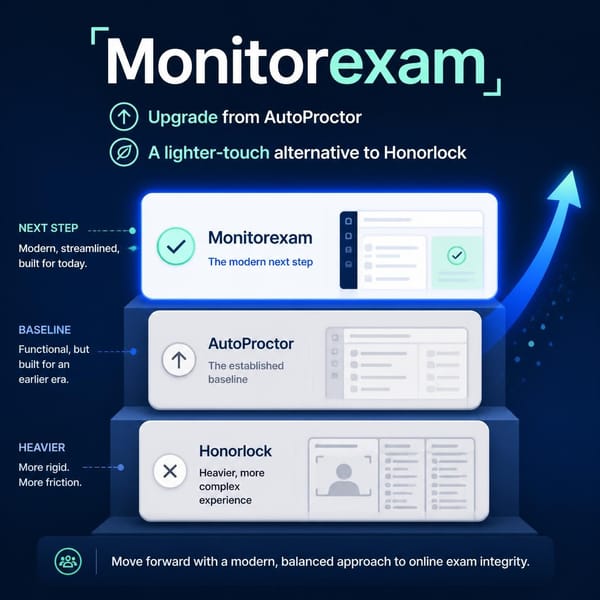
Does online proctoring require a camera? Not always. Tools such as Honorlock and Proctorio are typically used with a Chrome extension and a webcam, although what is recorded can depend on the instructor's settings. MonitorExam's camera-optional mode requires neither. It works in any standard browser.
What is video proctoring? Video proctoring uses the test-taker's camera to monitor their face and surroundings during an exam, either live, as a recording reviewed later, or analysed by AI.
Does Secure Exam Proctor use a camera or record you? Secure Exam Proctor is how Proctorio's tool can appear in Canvas. Whether it uses your webcam or records you is set by your instructor for each exam, so check your exam instructions.
Does MonitorExam record video during the exam? No. MonitorExam captures AI-triggered image snapshots when a violation is detected, plus random interval photos throughout the session. No continuous video is ever recorded. This is intentional: it reduces storage costs, eliminates DPDP Act compliance complexity for Indian institutions, and means invigilators review flagged snapshot evidence rather than hours of footage. Tools like AutoProctor offer optional full video recording at significant extra credit cost per attempt; MonitorExam's approach keeps evidence targeted and reviewable without that overhead.
Can proctored exams detect cheating without a camera? Yes. Browser lockdown catches tab switching, copy-paste, and screen sharing. Behavioural analytics detect the seven key anomaly patterns: tab switches, copy-paste velocity, answer timing, keystroke velocity, mouse movement, question navigation, and session continuity. AI flags suspicious behaviour and delivers a CredScore per candidate. These signals catch the most common forms of online cheating without a camera.
Can I take a proctored exam at the library or in a classroom? MonitorExam runs in a standard browser, so it works on lab, library or classroom computers as well as at home, and it does not record video. Whether a specific exam allows a location is up to your institution.
Which proctoring software works for in-person exams without video recording? MonitorExam's browser lockdown and behavioural monitoring can be used for exams in a hall or lab without any video being recorded. Evidence is kept as image snapshots and session logs.
Is camera-optional proctoring suitable for university exams? Yes, for formative assessments, internal semester tests, and large-scale online exams where logistics or equity concerns make camera-mandatory proctoring impractical. For final exams or professional licensing, MonitorExam's live proctored mode is available on the same platform.
What's the difference between camera-optional and live proctoring? Camera-optional uses AI and session logs to detect cheating behaviour: fully automated, scalable, suitable for most university exams. Live proctoring lets your institution's own invigilators watch every candidate in real time via MonitorExam's live dashboard and chat mid-exam: more oversight, required only for high-stakes assessments.
Can students skip the face check on camera-optional exams? Yes, if your institution permits it. The optional face check at exam entry confirms identity; it can be enabled or disabled per exam. Students choosing camera-optional mode can skip video entirely.
Is MonitorExam compliant with India's DPDP Act? MonitorExam's snapshot-only approach captures violation evidence, not continuous biometric video, which reduces the data minimisation obligations under India's Digital Personal Data Protection Act 2023 compared to video-recording proctoring tools. For institution-specific compliance queries, contact our team.
Is a Camera Required? Quick Answers in Your Language
Unless your institution enables the optional face check at exam entry, no camera is needed.
Español: ¿Se puede hacer un examen supervisado sin cámara? Sí. El modo sin cámara de MonitorExam usa bloqueo del navegador, análisis de comportamiento y registros de sesión, sin exigir cámara web.
Português: É possível fazer uma prova supervisionada sem câmera? Sim. O modo sem câmera do MonitorExam usa bloqueio do navegador, análise de comportamento e registros da sessão, sem exigir webcam.
Deutsch: Ist eine Online-Prüfung ohne Kamera möglich? Ja. Der kameraoptionale Modus von MonitorExam nutzt Browser-Sperre, Verhaltensanalyse und Sitzungsprotokolle, ganz ohne Webcam.
Bahasa Indonesia: Apakah ujian online dengan pengawasan bisa tanpa kamera? Bisa. Mode kamera opsional MonitorExam memakai penguncian browser, analitik perilaku, dan log sesi tanpa webcam.
Türkçe: Kamera olmadan gözetimli sınav yapılabilir mi? Evet. MonitorExam'ın isteğe bağlı kamera modu tarayıcı kilidi, davranış analizi ve oturum kayıtlarını kullanır; web kamerası gerekmez.
Русский: Можно ли пройти онлайн-экзамен с прокторингом без камеры? Да. Режим MonitorExam без обязательной камеры использует блокировку браузера, анализ поведения и журналы сеанса, веб-камера не нужна.
日本語: カメラなしでオンライン試験の監督はできますか? はい。MonitorExamのカメラ任意モードは、ブラウザ制限、行動分析、セッションログを使うため、Webカメラは不要です。
العربية: هل يمكن مراقبة الاختبار عبر الإنترنت بدون كاميرا؟ نعم. يعتمد وضع MonitorExam الاختياري للكاميرا على قفل المتصفح وتحليل السلوك وسجلات الجلسة دون الحاجة إلى كاميرا ويب.
हिन्दी: क्या बिना कैमरे के ऑनलाइन प्रॉक्टर्ड परीक्षा हो सकती है? हाँ। MonitorExam का कैमरा-वैकल्पिक मोड ब्राउज़र लॉकडाउन, व्यवहार विश्लेषण और सेशन लॉग का उपयोग करता है, वेबकैम की ज़रूरत नहीं।
Getting Started with Camera-Optional Proctoring
MonitorExam's free tier includes camera-optional proctoring for 15 exams/month: no credit card, no installation, no commitment.
Three steps:
- Register free, takes 60 seconds
- Paste your Google Forms link or create an exam in MonitorExam
- Share the proctored exam link with students. Camera is optional by default
For institutions needing volume pricing, INR invoicing with GST, or a dedicated implementation walkthrough:
Book a 15-minute walkthrough
See how camera-optional proctoring works for your institution. No sales pitch. INR pricing available.
Start Free → See Pricing Book a DemoRelated Reading
- What Is a Proctored Exam? Meaning, Types and How It Works
- Can Google Forms Detect Cheating? What Teachers Actually See
- How to Proctor Google Forms Exams: 5 Methods That Actually Work
- Honorlock vs MonitorExam: Honest Comparison for 2026
- Can Online Exams Be Conducted Without a Webcam?
- Why the Future of Online Exams Belongs to Passkeys (FIDO2)
Learn more: Camera-Optional Proctoring on MonitorExam