MonitorExam vs AutoProctor vs Honorlock: A Flexible, Self-Proctored Alternative

If you are choosing an online proctoring tool today, you have probably landed in one of two camps.
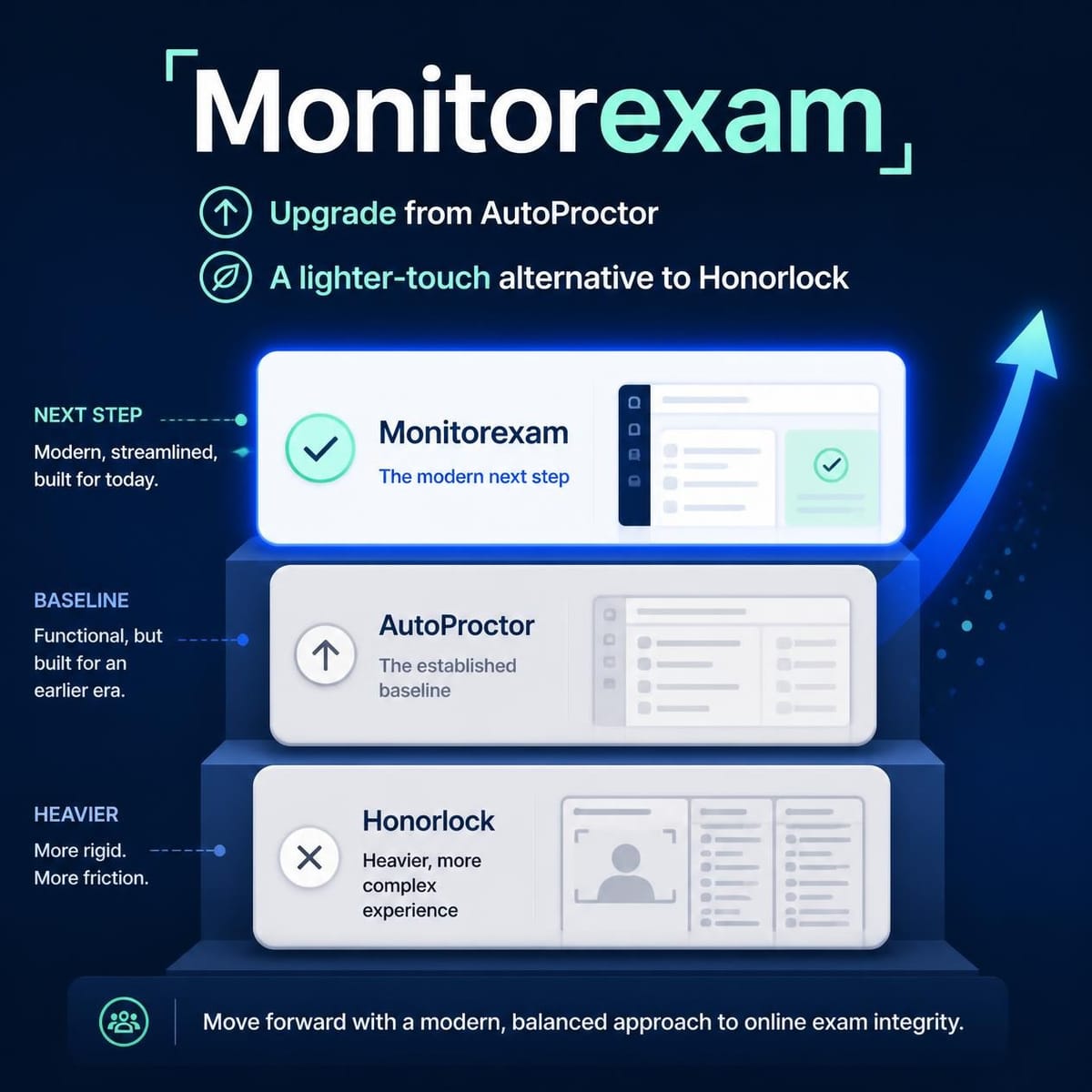
The first camp started with a simple tool, often AutoProctor on top of Google Forms, and now needs more control than a form add-on can give. The second camp looked at Honorlock, liked the idea of strong integrity controls, but found a Chrome-extension, quote-based, live-proctor model heavier than their exams actually require.
MonitorExam sits between the two. It is a self-proctored, zero-installation platform with 7 configurable proctoring levels, a live invigilator dashboard with in-exam chat, support for automated proctoring, Google Form proctoring and our own assessment platform, AssessME, and it is available to institutions in 45+ countries, including China.
This guide explains where each tool fits, so you can pick the right one for your exam, not just the loudest one.
What Is Self-Proctored Online Exam Monitoring?
Self-proctored means your own staff run the exam session. The teacher, trainer or invigilator decides how strict the exam is, watches the live dashboard if they want to, and talks to candidates directly. There is no outsourced proctoring team between you and your students.
MonitorExam is also fully automated: the platform detects and logs suspicious activity, and you decide what to do with it. There is no hidden human-review layer and no third party looking at your candidates.
Proctor your next exam on your terms
7 proctoring levels, live exam chat, Google Form proctoring and AssessME. Free tier includes 15 exams per month.
Start Free See Pricing Book a DemoWhy AutoProctor Users Upgrade to MonitorExam
AutoProctor is a popular way to add proctoring and timers to Google Forms and Microsoft Forms, with AI-based monitoring and results written back to Google Sheets. For a small quiz or a hiring screen, that can be enough.
Teams usually start looking for an upgrade when they need things a form add-on struggles to provide:
- A real live exam room. MonitorExam gives invigilators a live dashboard and in-exam chat, so you can message a candidate during the exam, not just read a report afterwards.
- Control over how strict each exam is. Instead of one-size-fits-all settings, MonitorExam has 7 configurable proctoring levels, so a weekly class test and a final certification do not need the same rules.
- An assessment platform of your own. With AssessME, your questions, delivery, proctoring and results live in one system.
- Camera-optional exams. Not every candidate has a webcam, a private room or a personal device. MonitorExam never makes the camera mandatory.
- You keep your Google Forms. If your quizzes already live in Google Forms, MonitorExam can proctor them, so upgrading does not mean rebuilding your question bank.
If AutoProctor is working for you, there is no reason to switch. If you keep hitting its ceiling, MonitorExam is the next step up without leaving the Google Forms workflow behind.
Why MonitorExam Is a Lighter Alternative to Honorlock
Honorlock is a well-known proctoring service. According to its own materials, it combines AI monitoring with live human proctors who can step into a session by chat, and it runs as a Google Chrome extension that works with your LMS. Students need a webcam, a microphone and Chrome. Honorlock sells through institutional contracts and asks buyers to contact its team for pricing.
That model suits some universities well. But for many schools, training companies and certification bodies it is more than they need. Here is how MonitorExam is lighter:
| MonitorExam | Honorlock | |
|---|---|---|
| Setup for candidates | Zero installation, runs in the browser | Chrome browser plus the Honorlock extension |
| Camera | Optional, never mandatory | Webcam and microphone required |
| Who proctors | Your own staff, self-proctored | AI plus Honorlock's live proctors |
| Review model | Fully automated, no human review layer | Hybrid AI and live pop-in |
| Strictness | 7 configurable proctoring levels | Configured per exam within the service |
| Starting out | Free tier of 15 exams per month | Contact sales for pricing |
| Assessments | AssessME, Google Forms, or auto-proctored exams | Works with your existing LMS |
Honorlock is built around live human intervention. MonitorExam is built around flexibility and ownership: you choose the level, you run the room, and candidates just open a link.
Available Where You Need It, Including China
Many proctoring tools are designed around US universities and their LMS stack. MonitorExam is used across 45+ countries and is available to institutions in China as well, so one platform can serve campuses, partner schools and training centres in different regions without separate vendors.
The 7 Levels of Proctoring: Match Strictness to the Exam
Not every exam is a high-stakes exam. Treating a practice quiz like a licensing test frustrates students, and treating a certification like a practice quiz invites cheating.
MonitorExam lets you set the proctoring level per exam, from light-touch monitoring for everyday assessments up to stricter monitoring for high-stakes tests. You decide how much is detected, logged and surfaced to your invigilators.
A few things to know about how it behaves:
- Tab switching and copy-paste are detected and logged, so you can see what happened and make the call. They are not blocked.
- The camera is optional. You can run exams without one, which matters in regions where shared devices and privacy concerns are common.
- Biometric identity checks use FIDO2, which makes impersonation significantly harder to pull off.
Outgrown a Google Forms add-on?
Keep your Google Forms and add 7 proctoring levels, a live invigilator dashboard and optional camera. No installation for candidates.
Start Free See Pricing Book a DemoLive Exams With In-Exam Chat
Most proctoring reports tell you what went wrong after the exam is over. MonitorExam lets you act while it is happening.
On the live invigilator dashboard you can see who is in the exam and how each session is going. If something looks off, or a candidate has a genuine problem, in-exam chat lets you message them directly. A candidate with a technical issue gets help; a candidate who wanders off-screen gets a prompt. The exam stays smooth for everyone else.
This is also what "self-proctored" really means in practice: your own invigilator is in the room, with the tools to act.
Three Ways to Run an Exam on MonitorExam
1. Auto-proctored exams
Set the proctoring level, share the exam link, and let the platform detect and log activity. Ideal for large cohorts where you cannot watch everyone live.
2. Google Form proctoring
Already have quizzes in Google Forms? Keep them. MonitorExam adds proctoring on top, so you do not rebuild your question bank to get better exam integrity.
3. AssessME, our own assessment platform
If you want everything in one place, AssessME is MonitorExam's own assessment platform for building tests, delivering them, proctoring them and reviewing the results. It is designed to be highly reliable under real exam load, with the proctoring built in rather than bolted on.
Which One Should You Choose?
- Stay with AutoProctor if you run occasional Google Forms quizzes and its current features cover your needs.
- Choose MonitorExam if you want to outgrow a form add-on, run live exams with chat, set strictness per exam, keep cameras optional, or serve candidates across several countries, including China.
- Consider Honorlock if your institution specifically wants live human proctors stepping into sessions, you are standardised on Chrome and your LMS, and a contract-based purchase works for you.
The honest answer is that the best tool is the one that matches how strict your exam really needs to be, and how much operational weight you want to carry.
Want proctoring without the heavy setup?
Run self-proctored exams with your own staff, live chat and AssessME. Start on the free tier with 15 exams per month.
Start Free See Pricing Book a DemoFrequently Asked Questions
Is MonitorExam a good alternative to AutoProctor?
Yes, if you have outgrown a Google Forms add-on. MonitorExam adds 7 configurable proctoring levels, a live invigilator dashboard with in-exam chat, optional camera, and its own assessment platform, AssessME, while still supporting Google Form proctoring.
Is MonitorExam a lighter alternative to Honorlock?
For many institutions, yes. Candidates need no software installation, the camera is optional, and your own staff proctor the exam. MonitorExam is fully automated with no human review layer, whereas Honorlock combines AI with live human proctors.
What does self-proctored mean?
Self-proctored means your own teachers, trainers or invigilators run the exam session using the platform's tools, instead of handing the session to an outside proctoring service.
Can I proctor Google Forms with MonitorExam?
Yes. MonitorExam supports Google Form proctoring, so you can add exam monitoring to quizzes you have already built.
Does MonitorExam block tab switching?
No. Tab switching and copy-paste are detected and logged so you can review them, but they are not blocked.
Does MonitorExam require a webcam?
No. The camera is optional, never mandatory.
Is MonitorExam available in China?
Yes. MonitorExam is available to institutions across 45+ countries, including China.
Is there a free plan?
Yes. The free tier includes 15 exams per month.
Start Proctoring Your Next Exam
Whether you are upgrading from AutoProctor or looking for something lighter than Honorlock, you can set up a MonitorExam exam in minutes and choose the proctoring level that fits.
Set up your first proctored exam in minutes
Choose your proctoring level, share the link and watch live. Free tier includes 15 exams per month.
Start Free See Pricing Book a Demo